Getting Started
Welcome to Pulsar Digital Twin PulsarDT! python package Version. This package in its current form provides a digital twin/animation of a Pulsar. Using this package a user can design a pulsar source with a customized radio emission pattern or sparks. In addition specific physics such as spectral emission profile associated with each sparks can also be modelled. The sparks can also have their own drift velocity. At its present form a method is provided to make sparks arranged in nested cone pattern. A pipeline is also provided to generate random frequency-time graphs containing Pulsar+NBRFI+BBRFI dataframes which will be used to train neural network models to detect pulsars from radio data streams generated from radio-telescopes like MeerKAT.
Installation
You can install PulsarDT from the Git repository as:
git clone https://gitlab.dzastro.de/punch/ml-ppa/pulsardt.git
cd pulsardt
python -m venv .venv
source .venv/bin/activate
pip install uv
uv pip install .
Configure workspace
python setup_config.py
Example Hello World
Here is how to use PulsarDT in a simple script:
import numpy as np
import pulsardt.defines as defines
from pulsardt import SparkPatternGenerator
from pulsardt import PulsarAnimator
from pulsardt import create_pulsar_animation

pulsar_animator = PulsarAnimator(rot_axis=[0,0,1],mag_axis_tilt=45)
spark_list = SparkPatternGenerator.create_patterened_spark_pattern(num_sparks=[1,4,8,8,4,1], # Number of sparks in each cone
                                                                spark_dimension=0.05, # Spark radius in radians
                                                                conal_latitudes=[0,10,30,150,170,180], # lattitudes of the cones
                                                                drift_vel=30/360   # drift velocity, so each spark will traverse 30 degrees per rotation
                                                                )
pulsar_animator.spark_genlist = spark_list
create_pulsar_animation(
                     pulsar_animator=pulsar_animator,
                     animation_folder_path='./output/anims/',
                     tag='test_spark',
                     telescope_direction=(1,0,1),
                     rot_phases=np.arange(0, 360, 30),
                     res=60
                     )
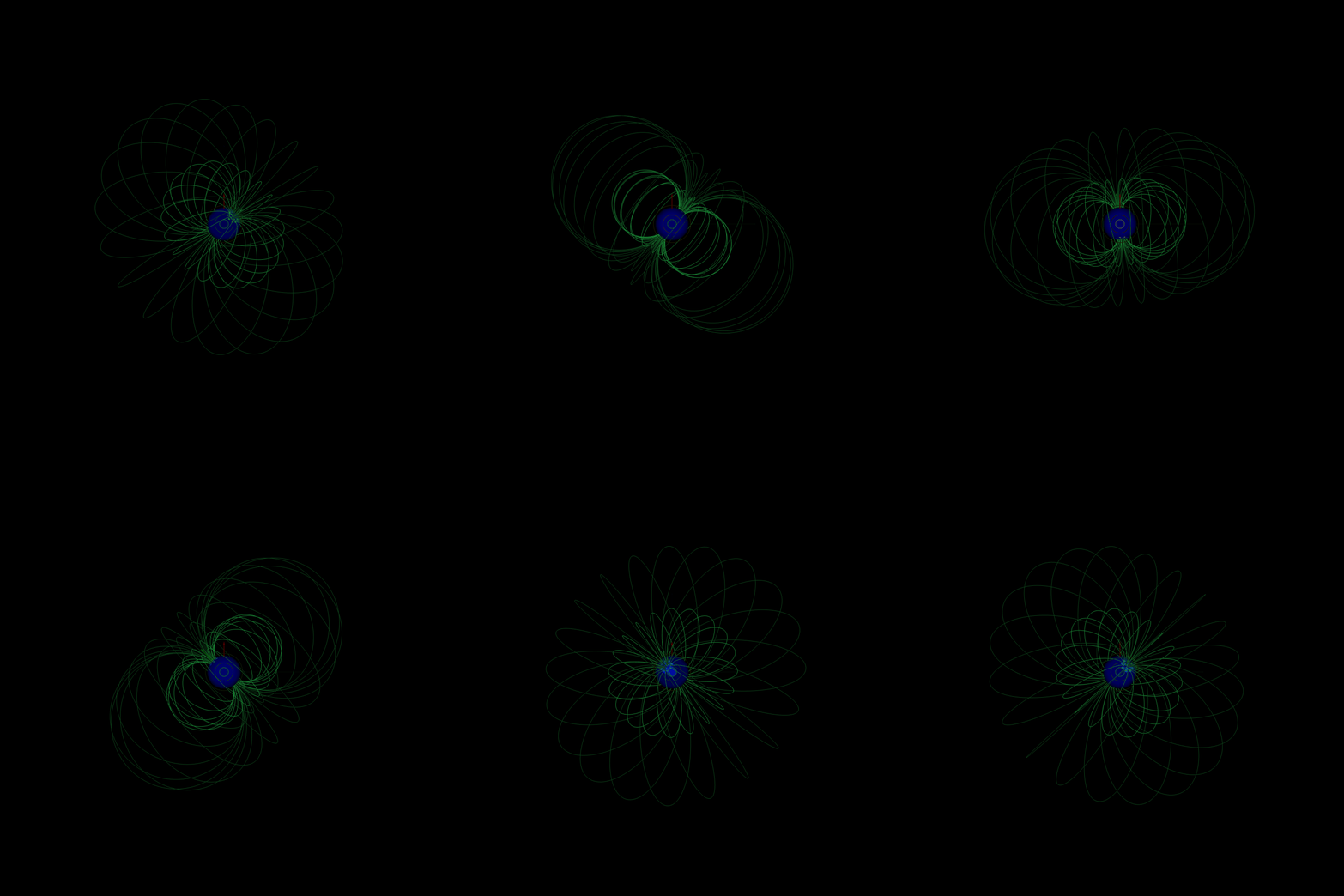
The following GIF shows an example animation created by stacking the frames generated by the above code:
PulsarDT Parameters
Units
Time: milliseconds (ms)
Frequency: gigahertz (GHz)
Distance: parsec (pc)
Spark Constants
Parameter |
Value |
Unit |
Description |
|---|---|---|---|
spark_radius_thresh_factor |
5 |
– |
Radius threshold scaling factor. This factor is multiplied with the spark dimension to determine the overall region of influence of the spark. |
spark_spectral_model |
0 |
– |
Spectral model type. Spectral model 0 follows simple power law. Spectral model 1 follows Log parabolic spectrum or LPS |
spectral_index |
-0.47 |
– |
Spectral power-law index |
Average Spark Pattern Parameters
Parameter |
Value |
Unit |
Description |
|---|---|---|---|
num_cones |
2 |
– |
Number of cones |
avg_spark_dimension |
0.05 |
radians |
Average spark radius |
avg_spark_per_cone_length |
6 |
– |
Number of spark per cone |
avg_spark_pattern_center_tilt |
45 |
degrees |
Tilt angle of the spark pattern center from rotation axis |
avg_drift_vel |
1 |
degrees/phase |
Average drift velocity of the sparks in degrees/phase of rotation. so for example if drift velocity is 10/360 degree/phase, upon complete rotation it will traverse 10/360*360=10 degrees |
Note
The above parameters can be modulated later in the simulation using methods in GenData module or dependent methods
Average ISM Parameters
Parameter |
Value |
Unit |
Description |
|---|---|---|---|
avg_dm_homogeneous |
60 |
pc/cm³ |
Average dispersion measure |
std_dm |
10 |
pc/cm³ |
Standard deviation of DM |
avg_scintillation_index_homo |
1 |
– |
Average scintillation index (homogeneous) |
std_scintillation_index |
100 |
– |
Std deviation of scintillation index |
Note
The above parameters are not modulated explicitly later in the simulation using methods in GenData module or dependent methods as of version 1.0
This parameters are loaded from ‘config_pulsedt.yml’ from the current work directory, else default values are loaded with a warning. Average simulating parameters can be modulated by changing corresponding values in that .yml file.